Building a Profitable SaaS at the Intersection of Outlook and CRM
Client: N/A
Stack: Typescript, Next.js, React, PostgreSQL, Tailwind
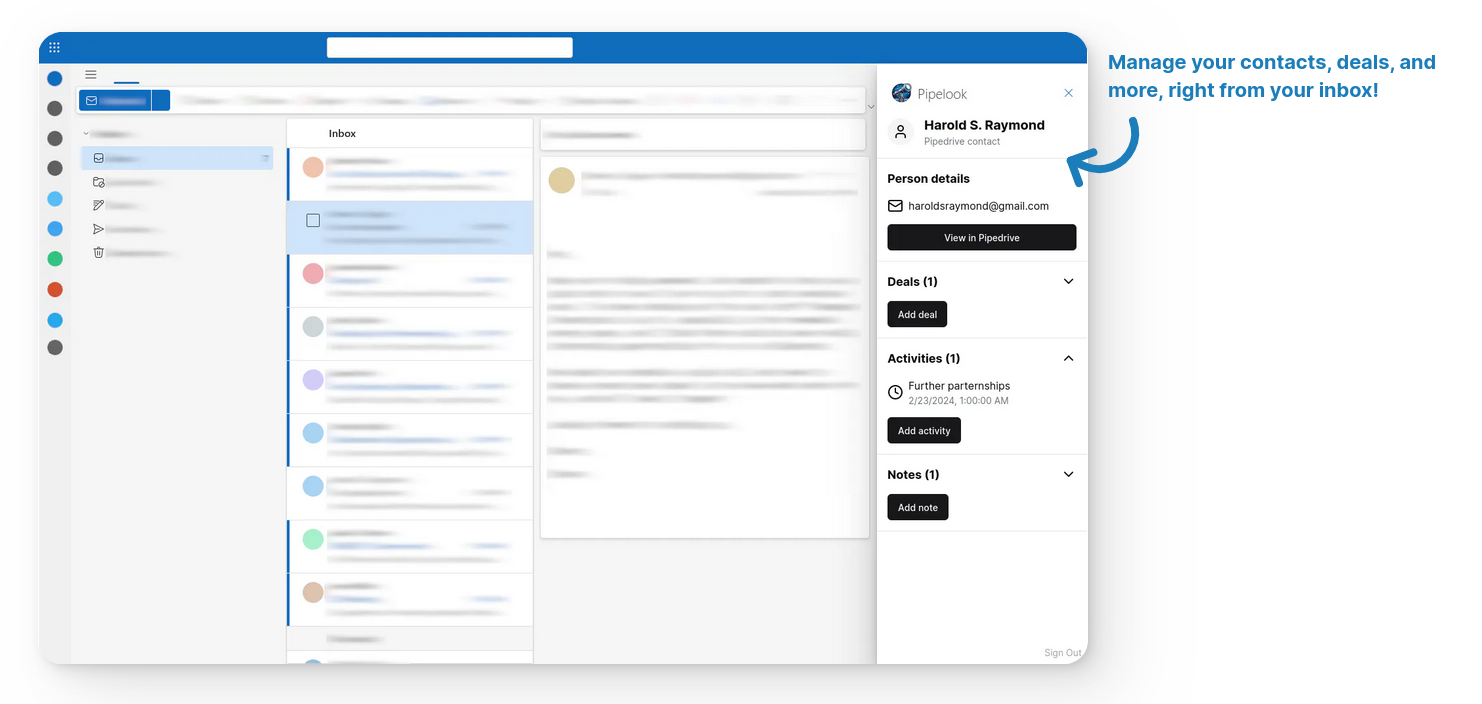
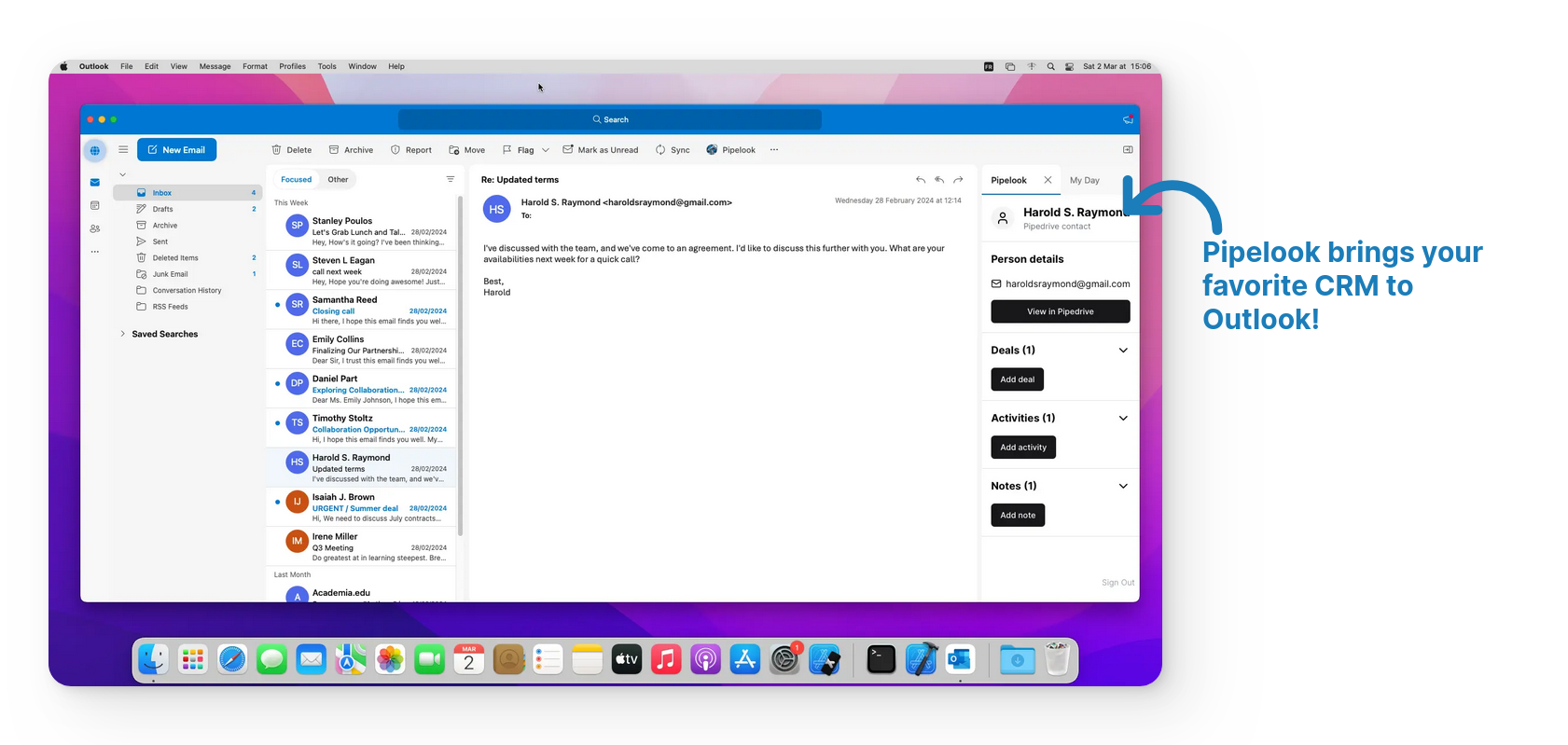
Pipelook is an Outlook add-in that brings Pipedrive CRM directly into Microsoft Outlook, allowing sales teams to view and manage contacts, deals, activities, and notes without leaving their inbox.
I designed, built, launched, and continue to operate the product as a solo founder. Since its launch in 2024, it has become a profitable SaaS generating approximately $1,000 in monthly recurring revenue while requiring minimal ongoing maintenance.
Beyond engineering, I owned the entire product lifecycle: market discovery, product strategy, UX, platform approvals, customer support, documentation and marketing.
Discovering the Opportunity & Understanding the Problem
Before writing any code, I spent time reading discussions across the Pipedrive Community and Marketplace reviews.
Instead of looking for feature requests, I looked for repeated frustrations.
Several themes emerged consistently:
- switching between Outlook and Pipedrive interrupted workflows
- updating CRM records after emails was tedious
- users wanted richer Outlook integrations than existing tools provided
- teams needed something simple enough to deploy across an organization
For many sales teams, Outlook is where customer conversations happen, while Pipedrive is where customer information lives.
Maintaining context requires constantly switching between applications to retrieve customer information, update deals, schedule activities, or record notes. Those interruptions create friction that compounds across every customer interaction.
Those conversations shaped the initial MVP and later became the foundation of the product roadmap:
Allow sales representatives to stay inside Outlook while still having access to the CRM information they need.
The feedback loop
The first version focused on making customer information immediately available inside Outlook. Users could identify the contact associated with an email and access their CRM record without leaving their inbox.
Once real customers began using the product, the roadmap shifted entirely from internal ideas to customer feedback. Every major feature developed after the initial release (including deal management, activity editing, rich-text notes, 2FA support, etc.) originated from conversations with users rather than speculative planning.
Engineering for Platform Constraints
While the product appears straightforward from a user's perspective, integrating two independent ecosystems introduced several engineering challenges.
Authentication inside Outlook
Unlike a traditional web application, Outlook add-ins run inside embedded iframes with browser-specific security restrictions.
Supporting authentication required solving issues around:
- third-party cookie restrictions
- partitioned cookies
- OAuth redirects
- embedded browser compatibility
- session persistence
I eventually adopted a cookie strategy specifically designed for embedded Office environments, combined with automatic token refresh mechanisms to keep users authenticated without unnecessary interruptions.
Managing Multiple OAuth Providers
The application connects two completely different platforms:
- Pipedrive for CRM data
- Microsoft Entra ID for Outlook and Microsoft Graph
The final architecture combines server-side authentication callbacks with scheduled background refresh jobs to reduce user-facing authentication failures.
Building a Responsive Outlook Experience
Unlike traditional web applications, Outlook add-ins operate within a very constrained interface.
The application needed to remain responsive while loading contacts, organizations, deals, activities, and notes with minimal waiting time.
To achieve this, I:
- centralized application state
- optimized API requests
- progressively loaded data
- reduced unnecessary network calls
- carefully balanced server and client rendering
These optimizations significantly improved perceived performance, particularly for users managing large CRM datasets.
Owning the Entire Product
Writing code and shipping the software was only one part of the project.
Because the product targets enterprise productivity tools, distribution depended on approval from both the Pipedrive Marketplace and Microsoft AppSource. This required meeting each platform's security, documentation, and deployment requirements in addition to implementing the product itself.
To support adoption, I also created the public website, onboarding flows, documentation, demo videos, changelog, and customer support processes. Support interactions became an important source of product insight, often revealing workflow issues that were not apparent during development. Those conversations directly informed future releases and helped prioritize improvements with measurable customer value.
Operating every aspect of the product created a much shorter feedback loop between customer problems and engineering decisions than is typically possible within larger organizations.
Results
Pipelook has operated successfully since 2024 as a profitable niche SaaS with approximately $1,000 in monthly recurring revenue, $21k+ revenue in 2 years, 1400+ marketplace installs, 330+ customers. This work now operates nearly in auto-pilot, with minimal maintenance and customer support as I dedicate only a few hours per month to Pipelook.
More importantly, the project demonstrates an approach to product engineering centered on solving operational problems. Technology alone rarely creates successful products. Understanding customer workflows, validating ideas early, and iterating based on real feedback proved far more valuable than building a large feature set from the outset.
Looking back, the project represents far more than an Outlook add-in. It is an example of taking an idea from initial market research to a profitable software business while owning every stage of the product lifecycle.